 element30
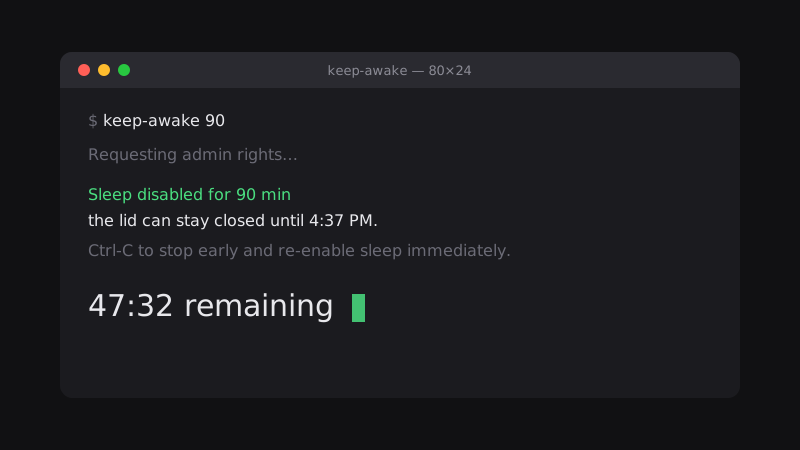
macOS won't let caffeinate survive a closed lid. The only setting that does is one that persists across reboots — so if you set it by hand and forget to clear it, you own a Mac that can never sleep again. keep-awake wraps that setting with a countdown and a guarantee: however the run ends, whether you Ctrl-C it, log out, or lose power entirely, sleep comes back.
Survives a closed lid
Runs a build or a sync with the laptop shut, which caffeinate cannot do.
Always cleans up
Sleep is restored on a normal finish, Ctrl-C, SIGTERM, SIGHUP, and logout.
Guarded against panics
A boot daemon clears the setting at startup, so even a hard power-off can't strand it.
Live countdown
See the time remaining tick down, and stop early whenever you want.
One argument
keep-awake 90 counts minutes, keep-awake 2h counts hours — and the default is an hour.
Nothing to uninstall
A single zsh script with no dependencies; delete the file and it is gone.
Ready to try keep-awake?
A command-line tool that holds your Mac awake with the lid closed for a set stretch of time, then puts everything back.
$curl -fsSLO https://element30.com/downloads/keep-awake && chmod +x keep-awake v1.2.0Downloads the script to the folder you're in and makes it executable.